
Appearance
Company Repo and DutyGraph Agent™
This page is for: advisors and forward-deployed engineers, who work in the advisor dashboard.
Built
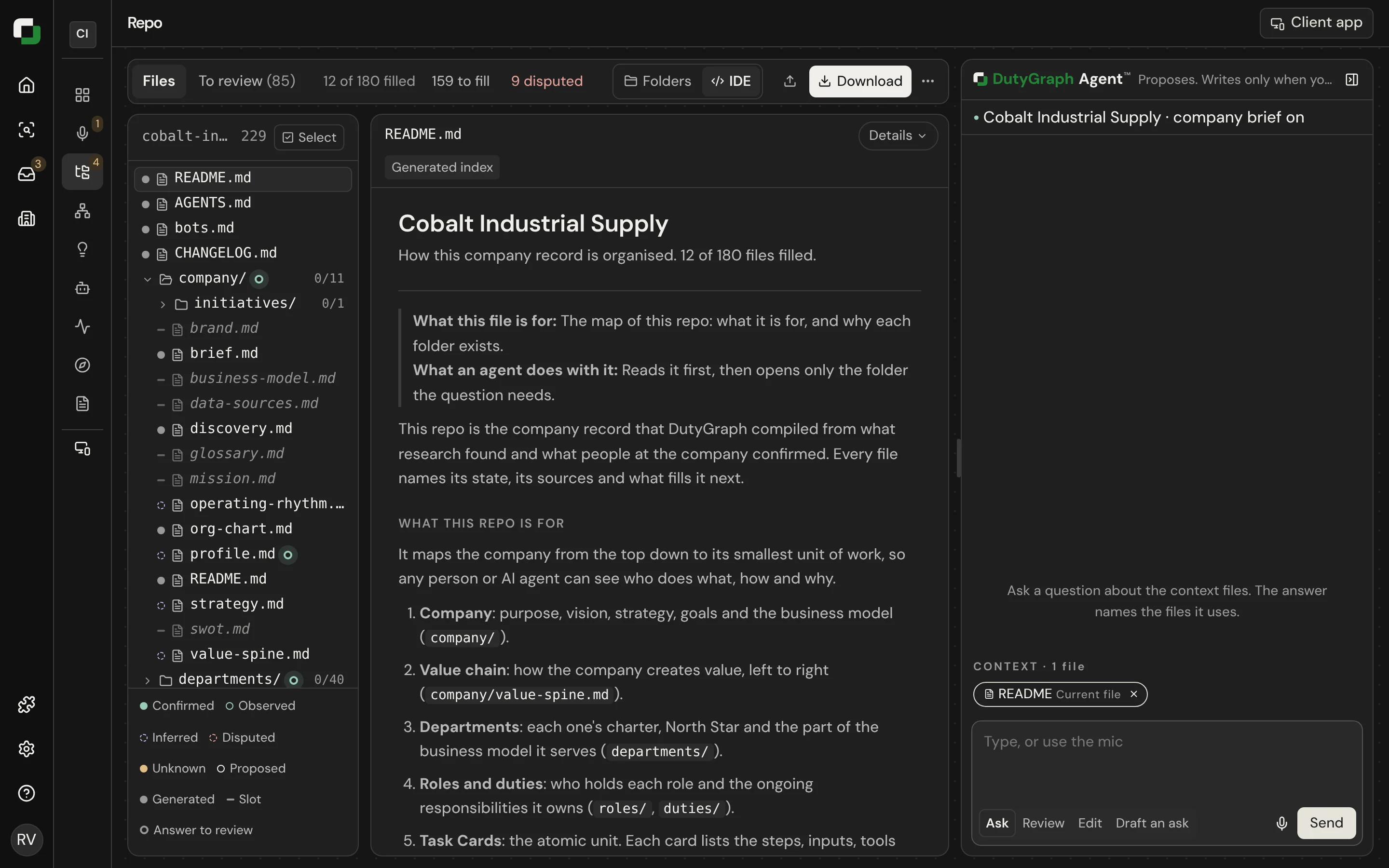
The Company Repo
The Company Repo is the company's map as a tree of Markdown files. You see it in the sidebar of every company page.
It is compiled from DutyGraph's records. It is not a Git repository on DutyGraph's side, and nothing is stored twice. When a record changes, the file changes.
Each file has a state, so a reader can tell a confirmed fact from a draft or an inference.
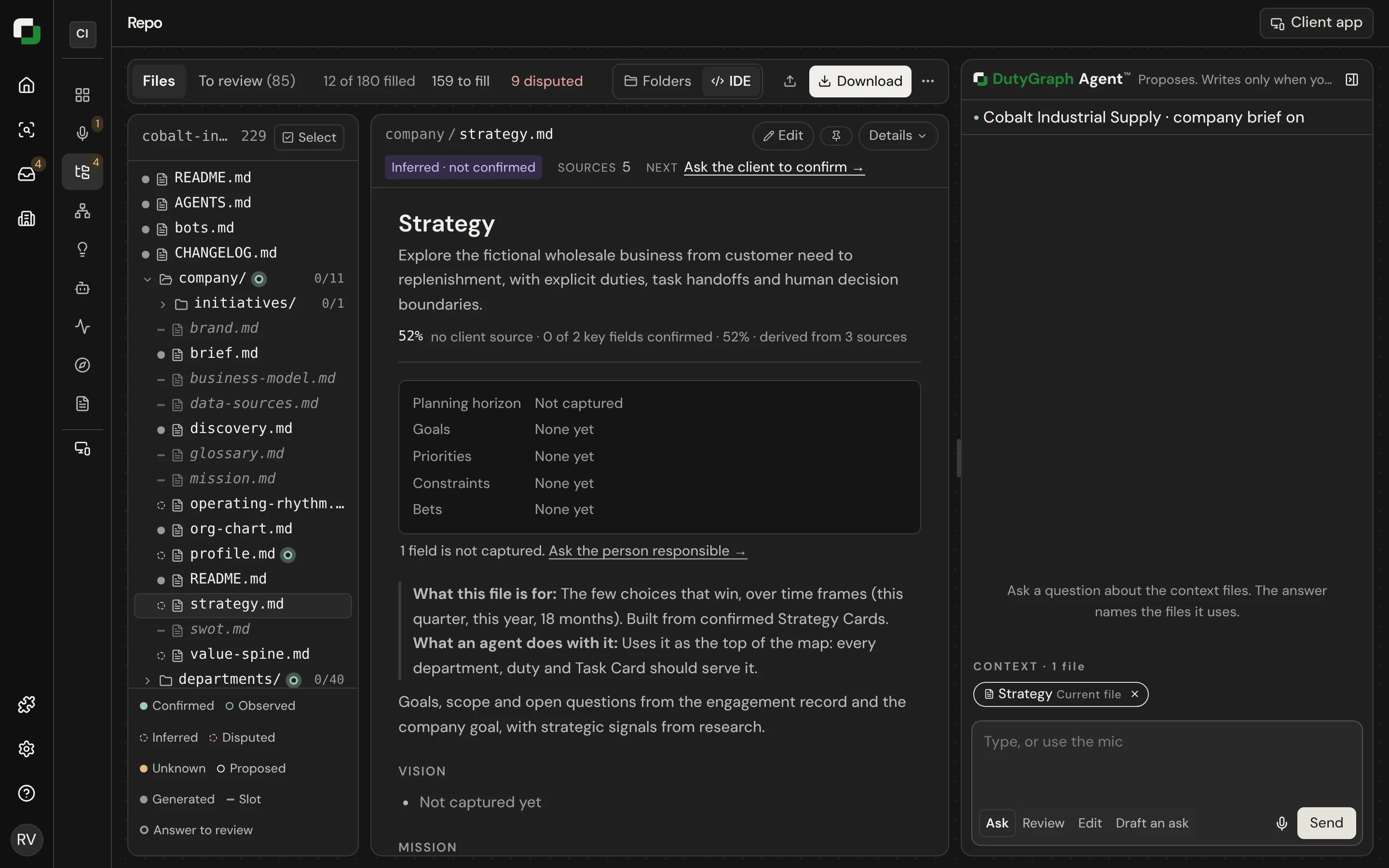
What you can edit
| Kind of file | Can you edit it? |
|---|---|
| Files compiled from records (people, evidence, Strategy Cards) | No. Change the record in the app. |
| Editable files | Yes, in the Notes region. A save is an advisor draft. Confirming happens in DutyGraph. |
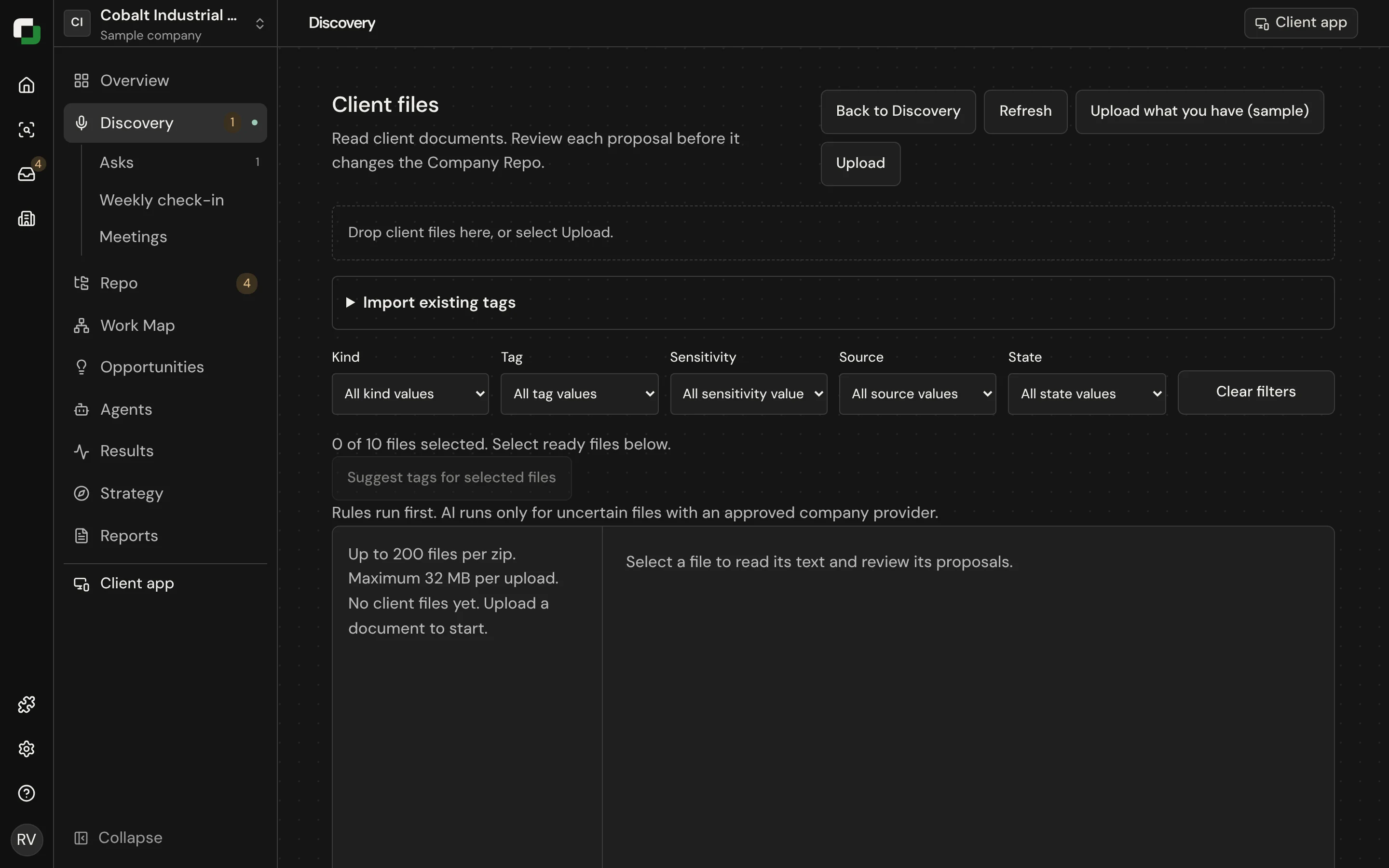
| New documents | Upload them. They go to intake, where you review them before anything reaches the Repo. |
Work on it locally
sh
dutygraph repo pull ./northstar-repo     # files, plus AGENTS.md and CLAUDE.md for your AI
dutygraph repo status --dir ./northstar-repo
dutygraph repo diff --dir ./northstar-repo
dutygraph repo push --dir ./northstar-repo -m "Questions for the owner"
Pull makes a local folder with a local Git commit. It never sets a remote. Edit only the text between the advisor draft markers. Push previews the changes and asks before it saves. If someone changed a file since you pulled, that file stops and you get a .theirs.md copy to compare.
See CLI commands for the limits.
The rule for role files
Role files are lasting documents
A role profile or a department charter is a standing description of how the company runs. It is not a set of notes from a call. Write what will still be true next year. Put this quarter's projects on the dated Right now line.
DutyGraph Agent
DutyGraph Agent is the AI assistant in the advisor dashboard. It sits beside the page.
| It can | How |
|---|---|
| See the page you are on | It reads the current step, the open file and the org chart with who reports to whom |
| Write a full draft | It writes the document first and asks questions only when it needs to |
| Use the company's core context | Vision, business model and goals are in every conversation |
| Propose changes you apply | For example reporting lines. Nothing changes until you select Apply. |
| Send to a person | "Send to <name>" puts a question or a draft in that person's list |
| Fill the plan | On Pitch to Package, "Fill the plan from this chat" |
| Find the constraint on the Work Map | It sees every Task Card, hand-off, workflow and finding on the map, names cards by exact title and marks them on the map. See Work Map. |
| Show gaps for a person | On a person page, "Gaps found for [name]" at the top of the panel |
On a laptop the panel starts 320 px wide. Drag its edge to change it (300 px at the smallest). The width you drag to is kept.
The client's people have their own DutyGraph Agent in the client app. It helps with their own Task Cards only. See My work.
One message box
There is one message box and there are no mode buttons. Write what you want. DutyGraph Agent decides from your words what to do: answer, check for gaps, change the open file, or draft an ask for a person. When it does more than answer, the panel shows "Taken as: ..." with a Just answer it button. On an engagement step it always answers.
The suggested questions are in one row above the box. Use the arrows to see more.
Each page keeps its own conversation, with History.
DutyGraph Agent uses the company's AI connection. For a sample company it uses the workspace key.