Appearance
Partner firms
This page is for: advisors and forward-deployed engineers, who work in the advisor dashboard.
A partner is a firm that runs DutyGraph for its own clients. Examples are an executive coaching firm that already runs vision sessions, or an AI firm that needs a company mapped before it builds agents.
How a partner works
- Its own workspace. Built The firm registers a workspace and sees only its own clients. The database enforces this.
- Its own session stands in for ours. Built If the firm already ran an executive planning session, that output loads into the North Star session. It does not have to be run twice.
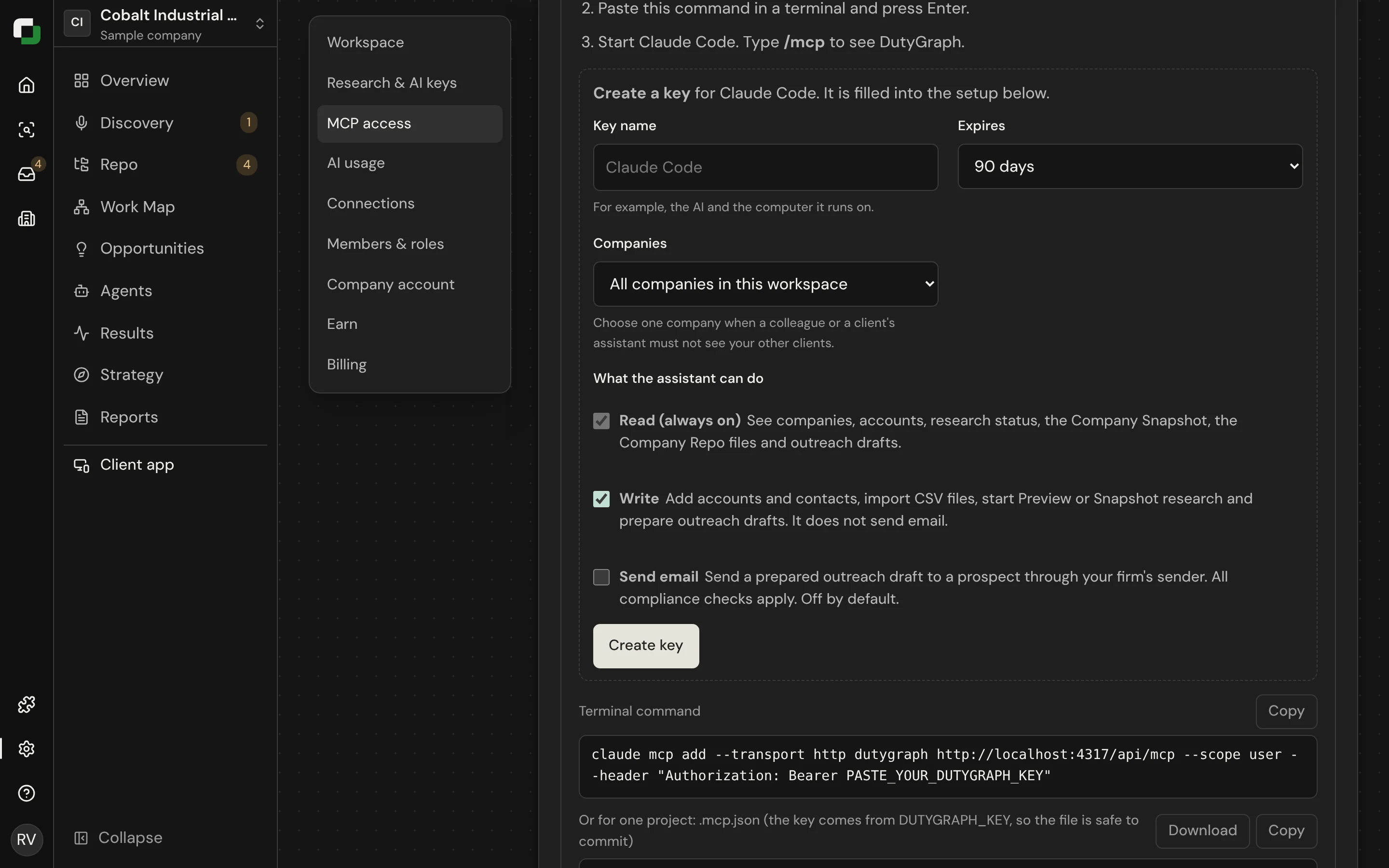
- MCP and CLI. Built A partner can do the client setup from its own AI assistant or terminal.
Bring in a client
Built
On Companies, select Bring in a client. It has six parts:
- Client: the company, its website, the main contact and your firm's name.
- Drop files: upload what you have, up to 200 files or one zip.
- People: the org chart from a CSV or spreadsheet, or from a picture or PDF read with AI.
- Their plan: the client's plan, which becomes North Star answers.
- SOPs: existing procedures. Each one becomes a proposal you accept.
- Ready: check and open the company.
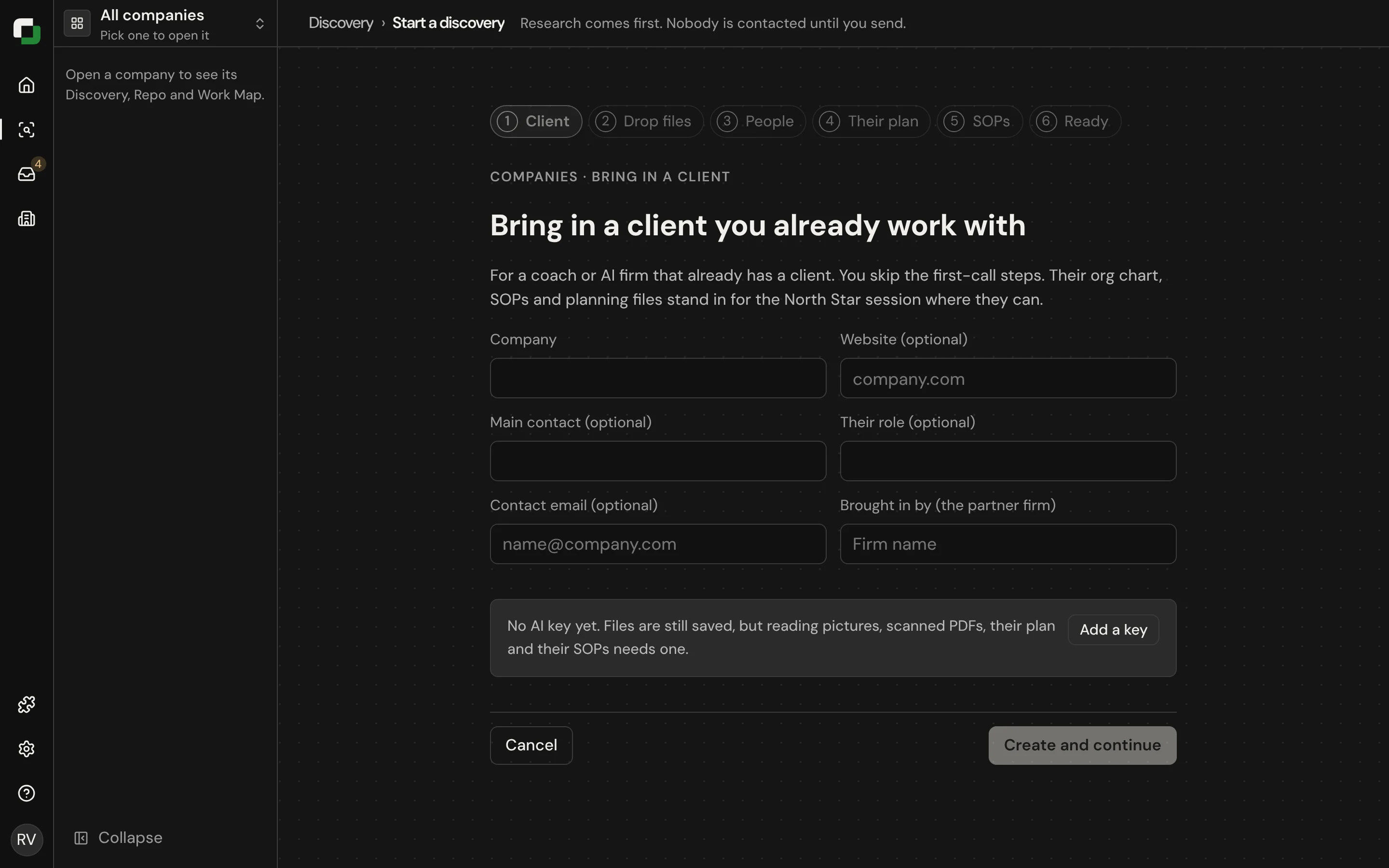
Everything uploaded is saved before it is read.
From the terminal:
sh
dutygraph roster import ./team.csv --apply --yes
dutygraph onboarding fill north-star.md --apply --yes
Access
| Point | Today |
|---|---|
| Who a token reaches | Every company in the firm's workspace |
| Limit a token to chosen clients | Built, in the newest version. In Settings › MCP access › Companies choose all companies or only the open one. |
| Add a paying client directly | Built, in the newest version. dutygraph client add and the add_client tool. |
| A second advisor in one workspace | Planned |
| Send team invites over MCP | Planned. Invites are sent in the app. |
| A partner's own AI keys | Planned. Imports use the firm key set in Settings. |