
Appearance
Keep it current
This page is for: advisors and forward-deployed engineers, who work in the advisor dashboard.
A map is only useful while it is true. After the Readout, the work is to find what changed or is missing and ask the right person one good question.
Autopilot
Autopilot is DutyGraph Agent™ running on its own. It reads the company's map from the top down, finds gaps by rule, and proposes questions to send.
Run a pass
In review
On the Readout, the Autopilot card has Run a pass. It applies plain rules to the map:
- a goal with no number or no owner
- work that only one person holds
- more than eight people reporting to one person
- a role profile with three or more "not stated yet" lines
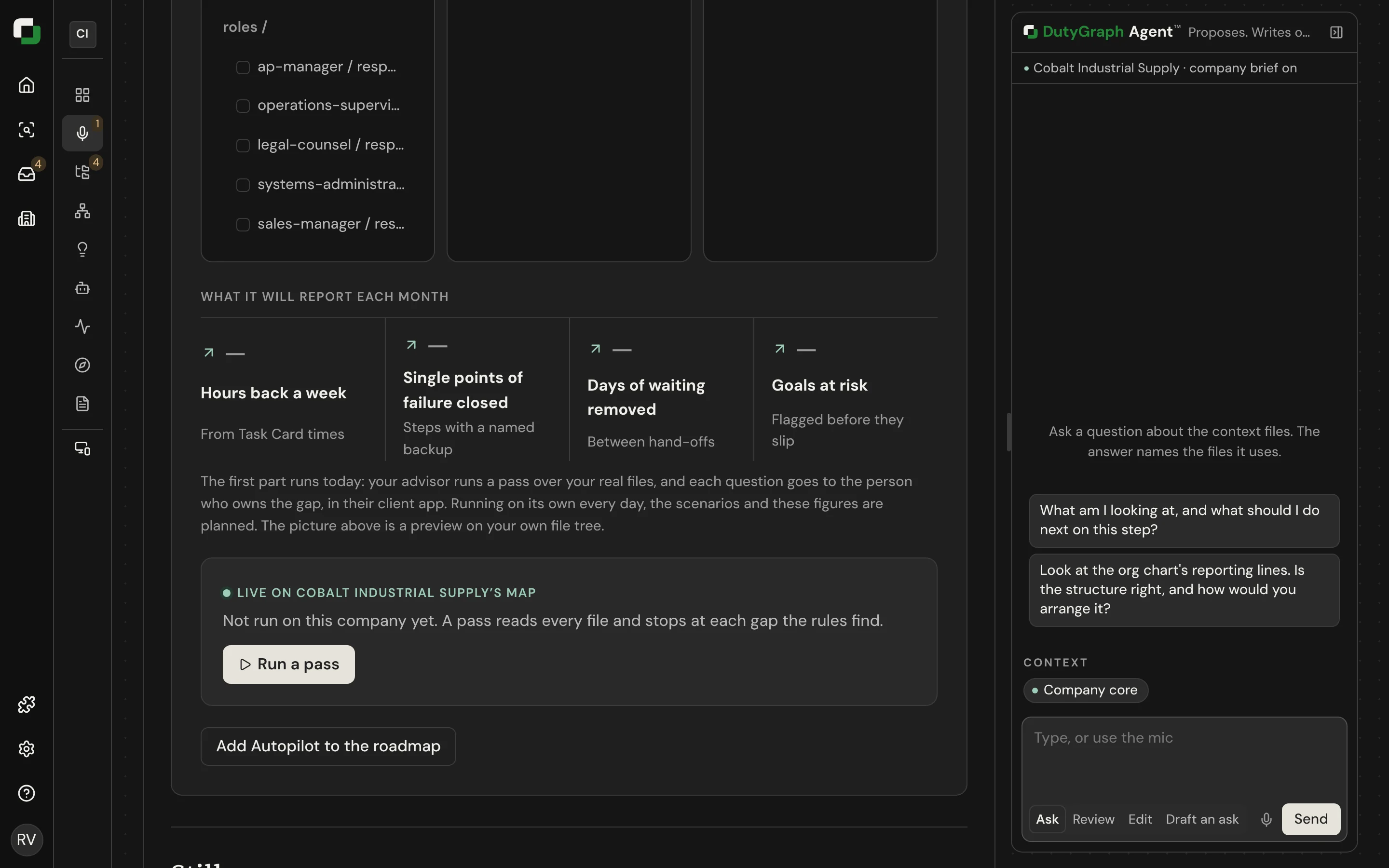
For each finding it writes a question for the person who can answer it. You approve each question. Select Send or Send all. The question arrives on the person's Home under From your advisor, and the answer is filed in their role profile.
Limits that protect people
- At most three Autopilot questions for one person in a day.
- Nothing is sent to a person who already has three open questions from anyone.
- The same question is never sent twice.
Not built yet
| Part | Status |
|---|---|
| A daily pass that runs on its own | Planned |
| AI that reads each file and writes sharper questions | Planned |
| "I don't know. Help me automate it", which turns an answer into a test Task Card | Planned |
| Scenarios that simulate the business from Task Card times | Planned |
What you do each week
- Run a pass and send the questions that matter.
- Read new answers:
dutygraph inbox. - Check new and changed Task Cards.
- Update role profiles when a person joins, moves or leaves.
- Tell the sponsor what changed.