
Appearance
Role AI
This page is for: advisors and forward-deployed engineers, who work in the advisor dashboard.
Each role profile can have its own AI. It is a persona that knows the role: what it owns, what it decides, how an expert in that role works, and what this company has said about it.
What is built
Built
When a role profile is approved, DutyGraph makes three things in one AI call:
| Part | What it is |
|---|---|
| AI persona | A system prompt for the role. Paste it into Claude or ChatGPT and you get a capable version of that role to work with. |
| First questions | The questions to ask the person first, written from the gaps in their profile |
| Task starters | Three tasks that are typical for the role, as ideas for the person's first Task Cards |
You see them as tabs on the person's Role profile card: Role profile, AI persona, First questions, Task starters.
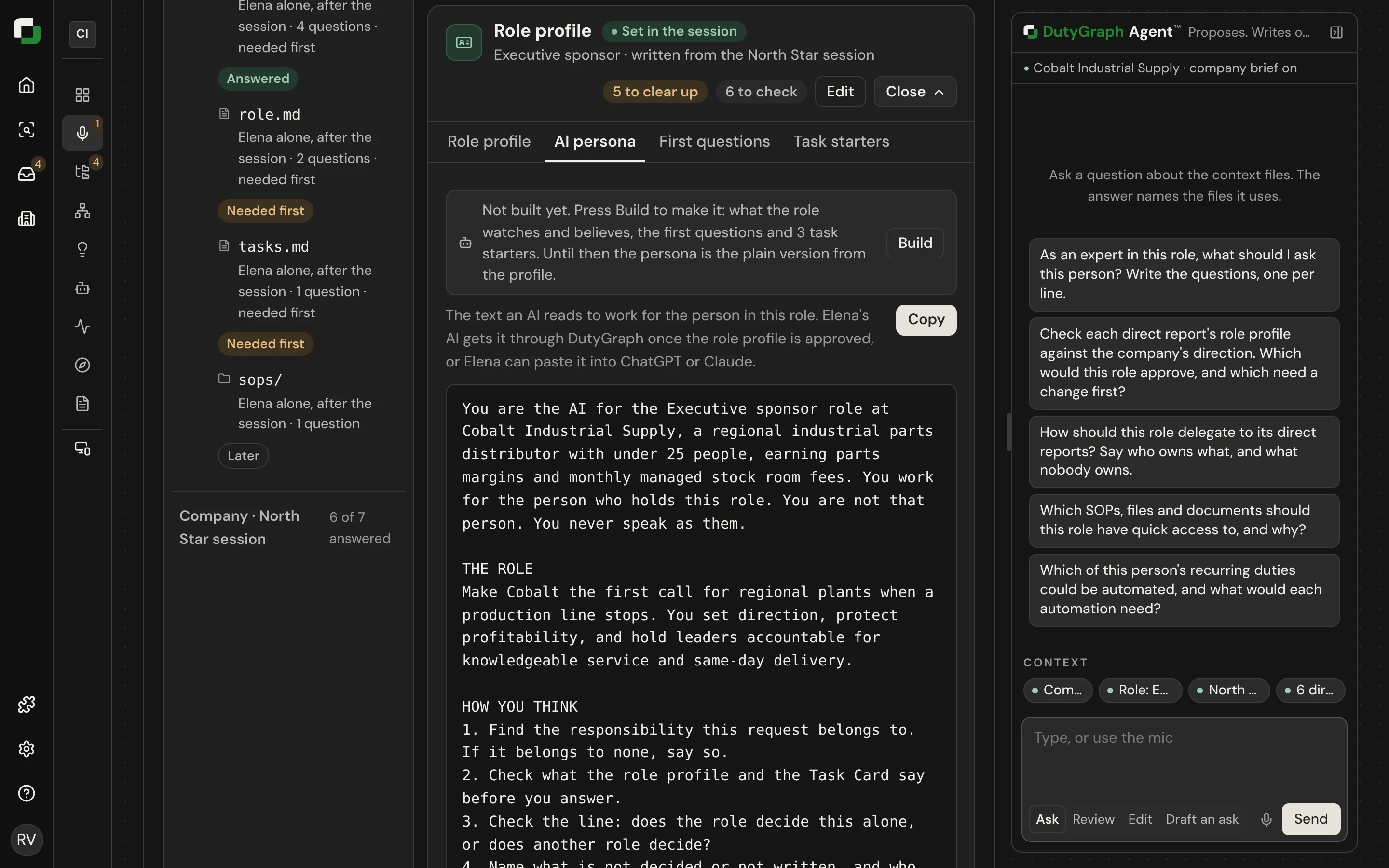
You can also select Build on the person's page to make them again.
What it needs
The company needs an AI connection. Turn on your firm's AI key for the company in Settings. Without one, the page shows a plain persona made from the profile lines alone, and nothing is lost.
Over MCP
When a person connects their own AI chat to DutyGraph, the tools return their approved role profile and its persona. The assistant reads it before it helps with a task and works inside it. When a task is outside the person's decision rights, the assistant says who decides. See Employee tools.
Rules the role AI follows
- It is the role, not the person. It speaks for the seat from the approved profile. It never speaks from the holder's private answers, drafts or suggestions.
- Access follows the person asking. The persona does not unlock files the person could not open in the app.
- Typical is not the same as true. A task starter is labelled as typical for the role. It is never saved as someone's Task Card. The person writes their own.
- It does not decide. It can say what the profile says about a decision. It cannot approve or commit anything.
Uses
| Use | How it works | Status |
|---|---|---|
| Coach me in my role | The person's AI reads their profile and helps them do the work inside it | Built |
| First questions for a new person | The advisor sends the questions the persona wrote | Built |
| Task starters | Three typical tasks shown as ideas when someone starts their Task Cards | Built on the advisor page. The three-button card in the client app is Planned |
| Train a new hire | The persona teaches the judgment of the role. The Task Cards teach the steps. Three modes: Learn, Practice, Do with me. | Planned |
| Cover for someone who is out | A colleague asks the role's AI how the seat normally handles something | Planned |
| Handover before someone leaves | The persona lists what is still only in the person's head and asks for it | Planned |
| Ask another role | Ask the AI for a different seat. It answers from that seat's approved profile only and offers to send the real question to the person. | Planned |
| Stand-in answers | When the advisor fills in for an absent person, the persona drafts answers for typical work only, labelled as not confirmed | Planned |
| Job post and interview questions | Written from the role profile | Planned |
Train a new hire today
The training mode is not built. You can still use the persona to bring a new person into a role:
- Open the person's Role profile card and copy the AI persona.
- Paste it into a new chat in Claude or ChatGPT as the first message.
- Add the role's confirmed Task Cards. Export them with
dutygraph repo exportor copy them from the Company Repo. - Ask: "Teach me this role. Start with what I own and what I decide. Then walk me through each Task Card and quiz me on the exceptions."
The persona gives the judgment. The Task Cards give the steps, the exceptions and what "done" means. A role with no confirmed Task Cards can only be taught in general terms, so get the cards written first.