
Appearance
1. Pitch to Package
This page is for: advisors and forward-deployed engineers, who work in the advisor dashboard.
Built
Pitch to Package is the first template for every company. It takes a prospect from a name to a sponsor who has said "We're ready to start". It is never skipped.
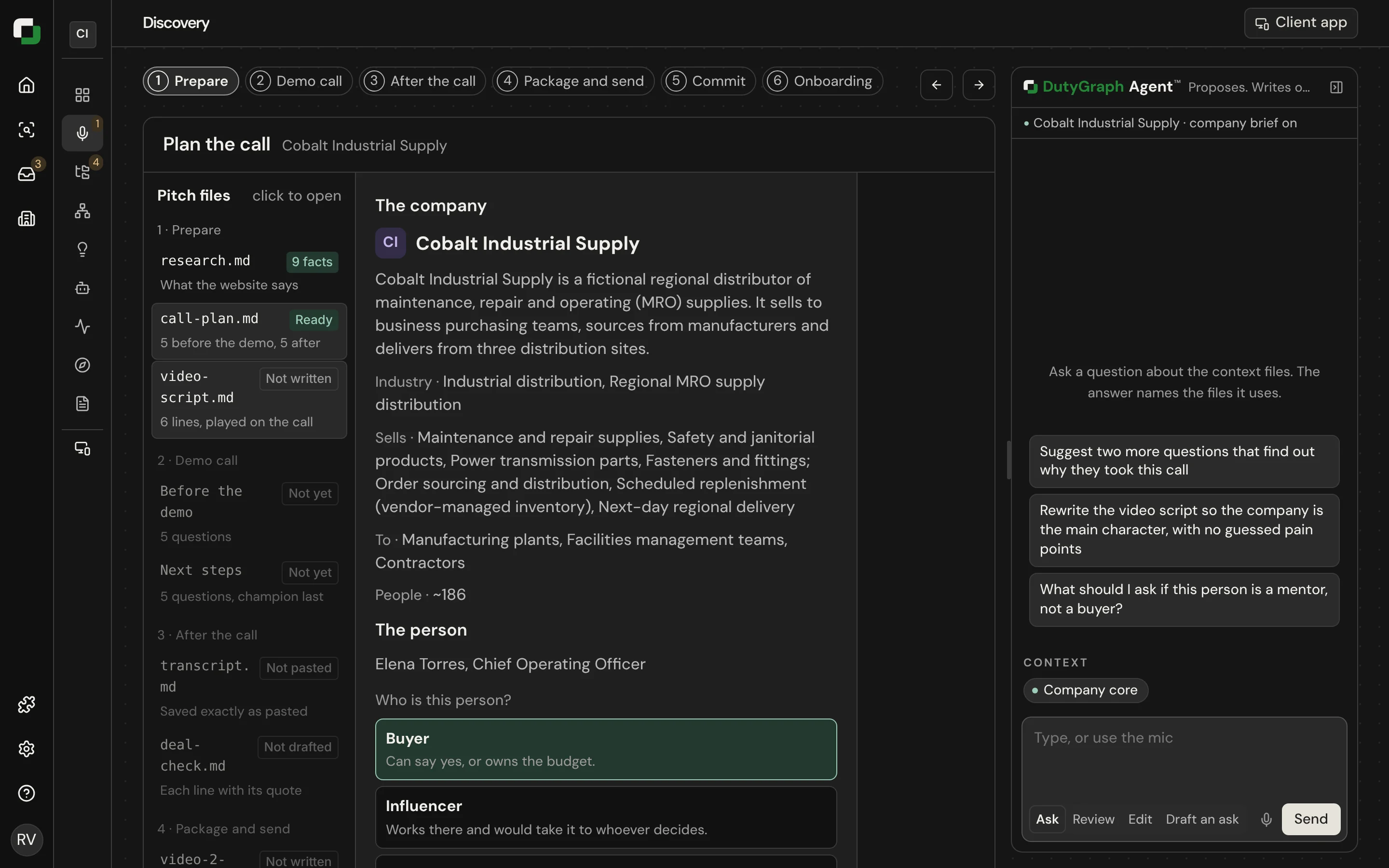
What you end with
- A company record with research on the business, its products, its industry and its market.
- A call plan with your questions and a short video script.
- The call transcript and the North Star lines drafted from it.
- An onboarding package the sponsor can forward to their team.
Steps
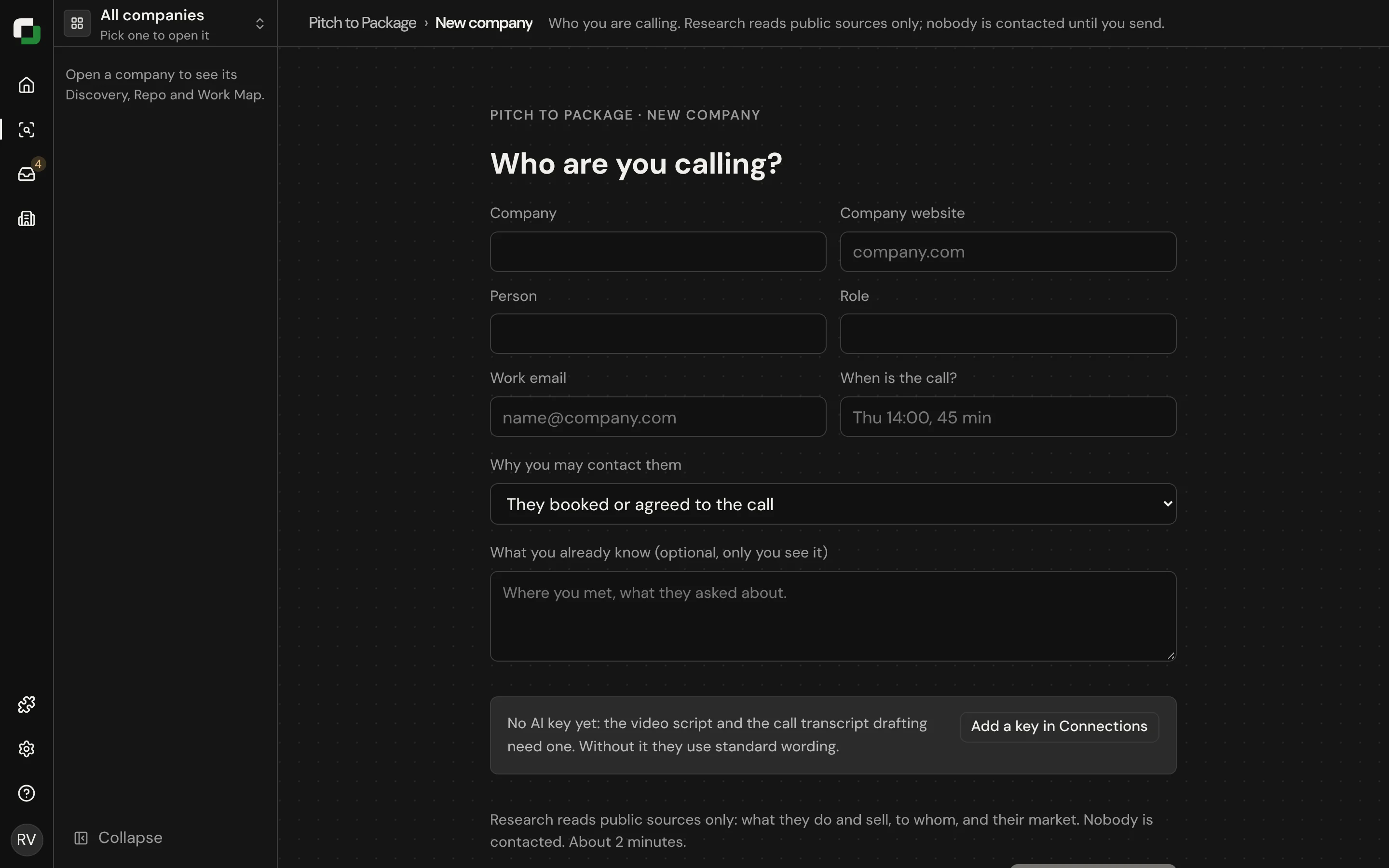
1. Add the company
On Home, select New company. Enter the company name, its website and the person you will talk to. DutyGraph runs Preview research and fills the company card and the sidebar file tree.
Research is kept light on purpose. It is enough to make a relevant first demo. It does not guess the company's pain points, because a wrong guess on a call looks bad.
From the terminal:
sh
dutygraph pitch new --name "Example Golf Shops" --website https://example.com \
  --contact "Sam Reed" --email sam@example.com --title "CIO" \
  --basis referral --relationship warm_introduction --note "Introduced by a partner"
2. Plan the call
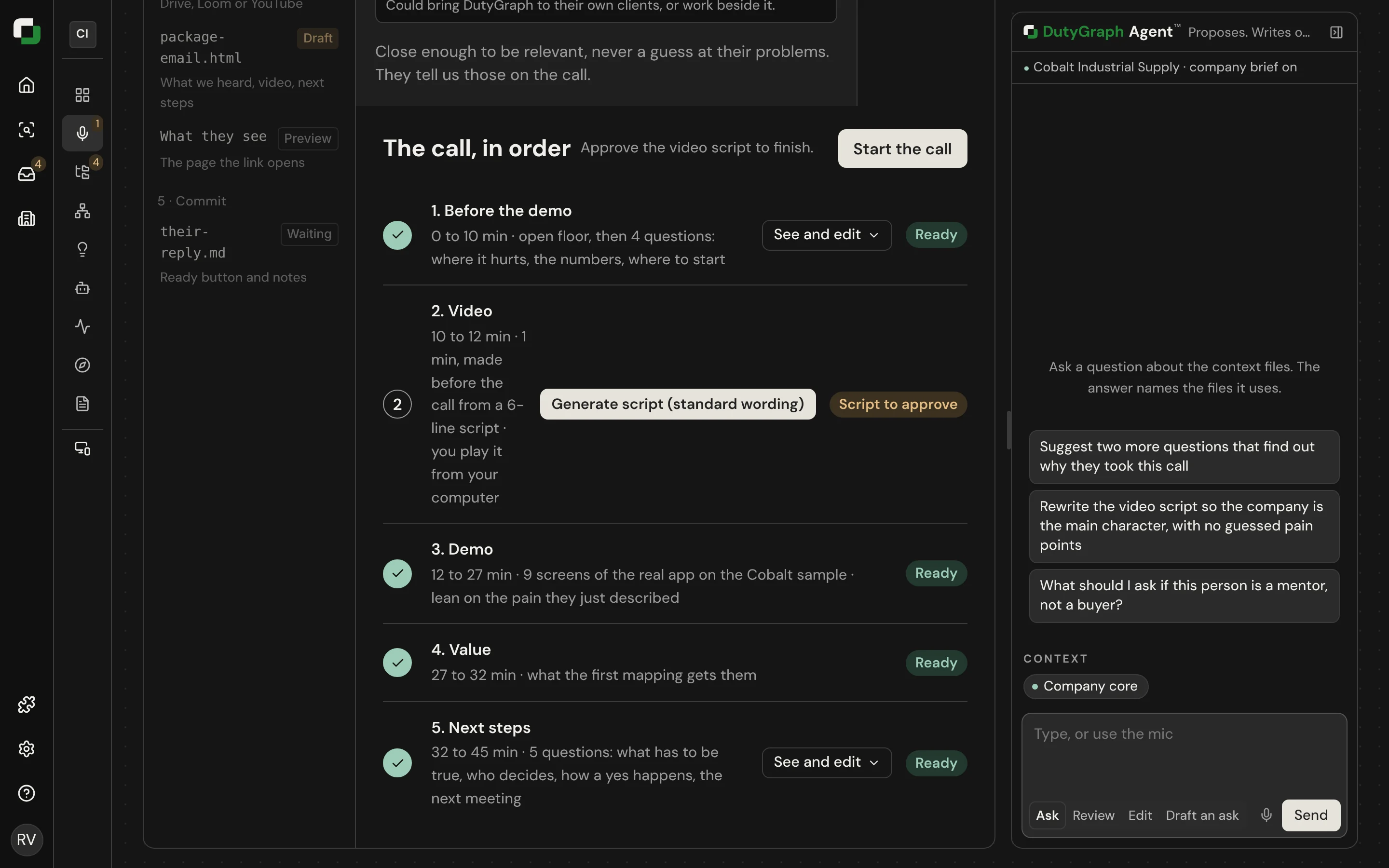
Open Plan the call. It holds:
- What we know: who the person is and what the research found.
- Questions before the demo and questions after the demo. They go from the top down: the person's vision for AI, the big picture for the next 12 to 18 months, the business model, the scope, what each department does, and anything else.
- Video script: up to six lines. Approve it before a video is made.
You can fill the plan from a Markdown file:
sh
dutygraph pitch prepare plan.md            # preview
dutygraph pitch prepare plan.md --apply --yes
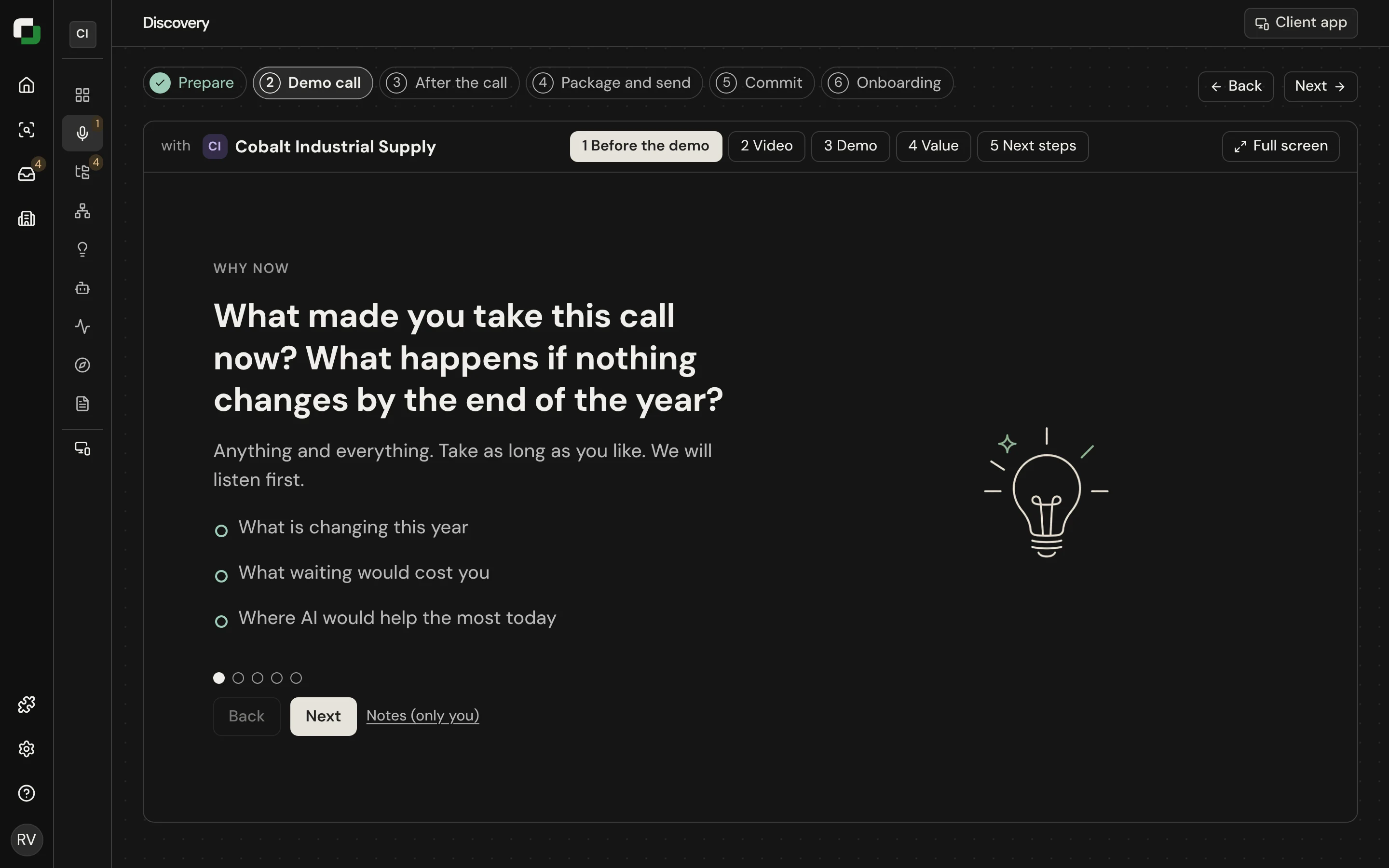
3. Run the call
The call page shows one question at a time with its prompts. Play the demo video from your own computer, then tour the sample company. Paste meeting notes or record with your own note taker.
4. Run the transcript
After the call, paste the transcript and select Run transcript. DutyGraph drafts the North Star lines from what the person said. Keep or edit each line.
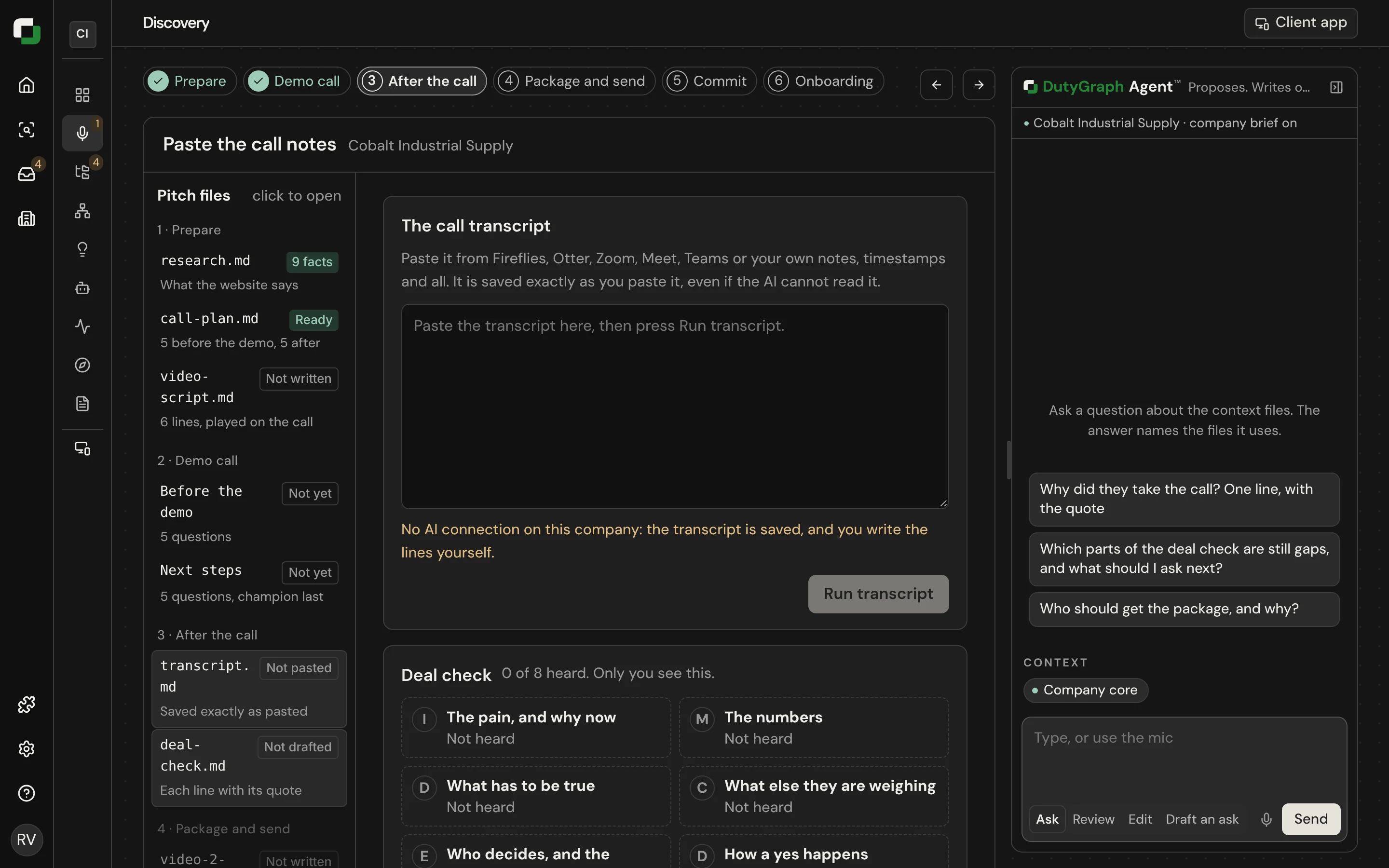
If drafting fails, the page shows the reason and a code. The most common cause is an AI key that is missing or no longer valid. Fix it in Settings.
5. Package and send
Open Package and send. The package page names what the client gets, who should come to onboarding, and the next step. Send it by email or select Make the link and send the link yourself. The link can be forwarded.
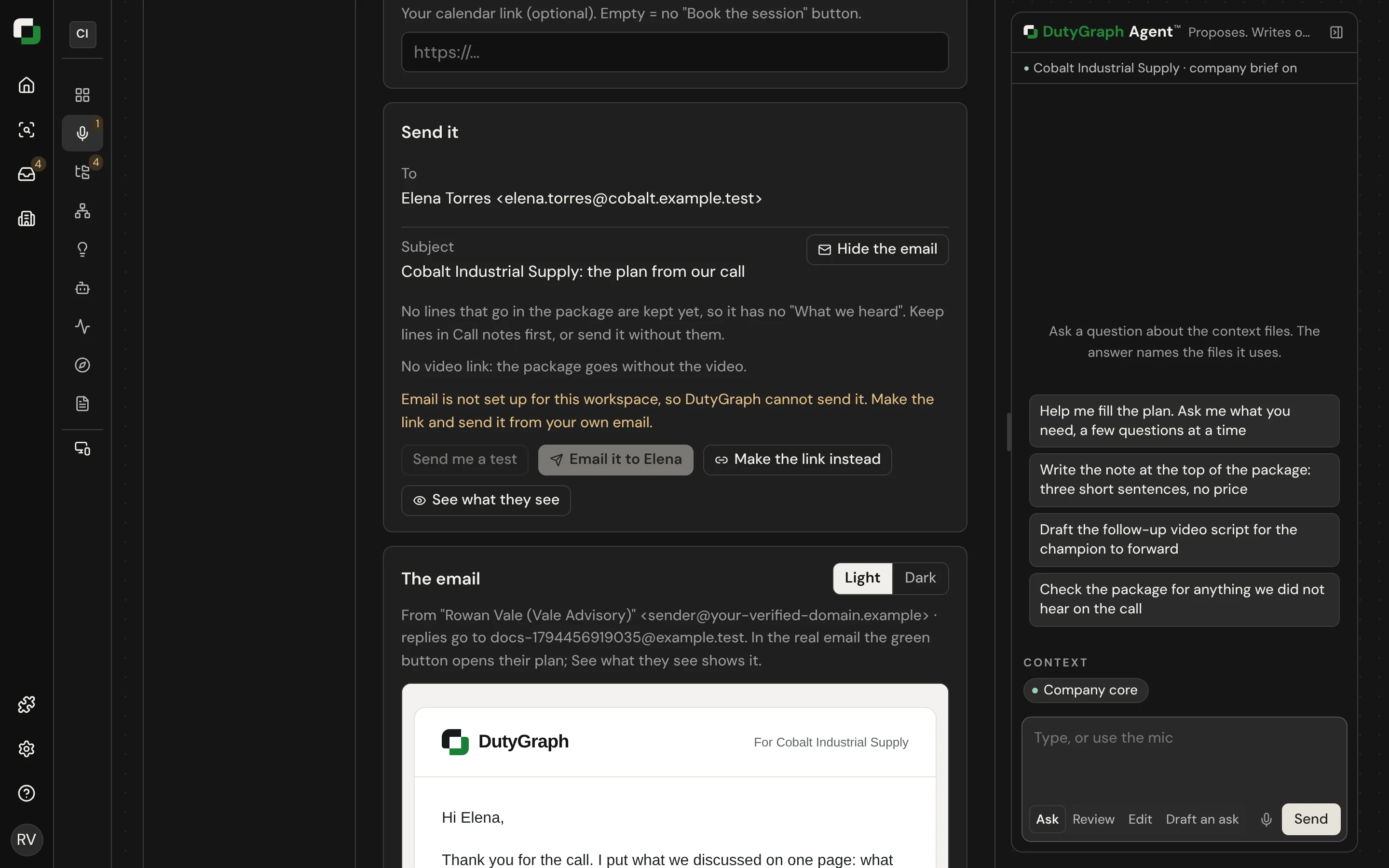
When the sponsor selects We're ready to start, you get an email and the company card shows it.
6. Record the commitment
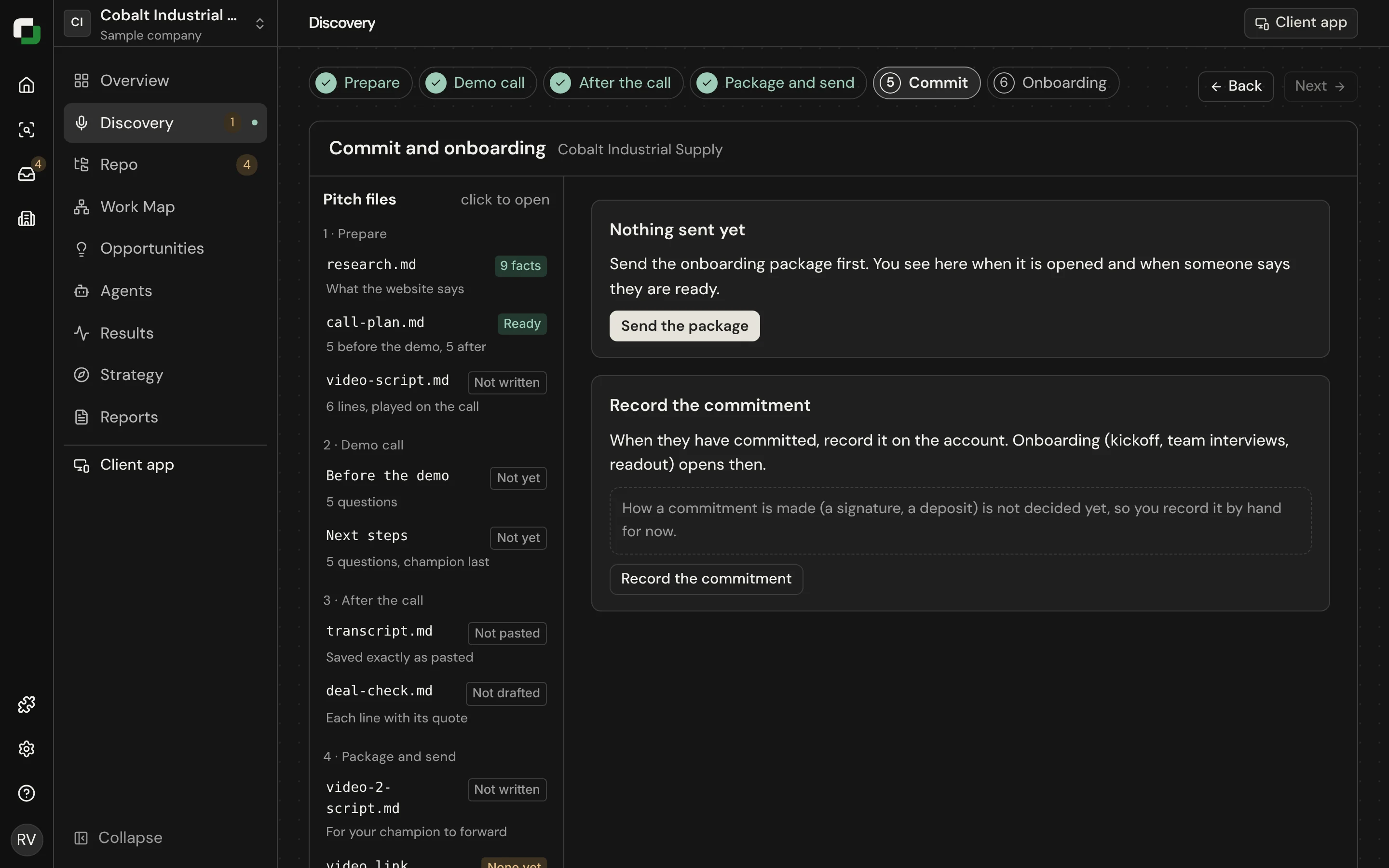
Record how the client committed. The CLI and MCP can also add a paying client directly (dutygraph client add, In review).
What these tools cannot do
The CLI and MCP can fill the plan. They cannot approve a script, start a call, save a transcript, change the package or send it. Those stay on the page so a person always makes the outward-facing decision.